Assets
Browse, preview, and manage files in a directory, porting Nuxt DevTools' Assets tab.
Package: @devframes/plugin-assets · framework: Vue + @antfu/design
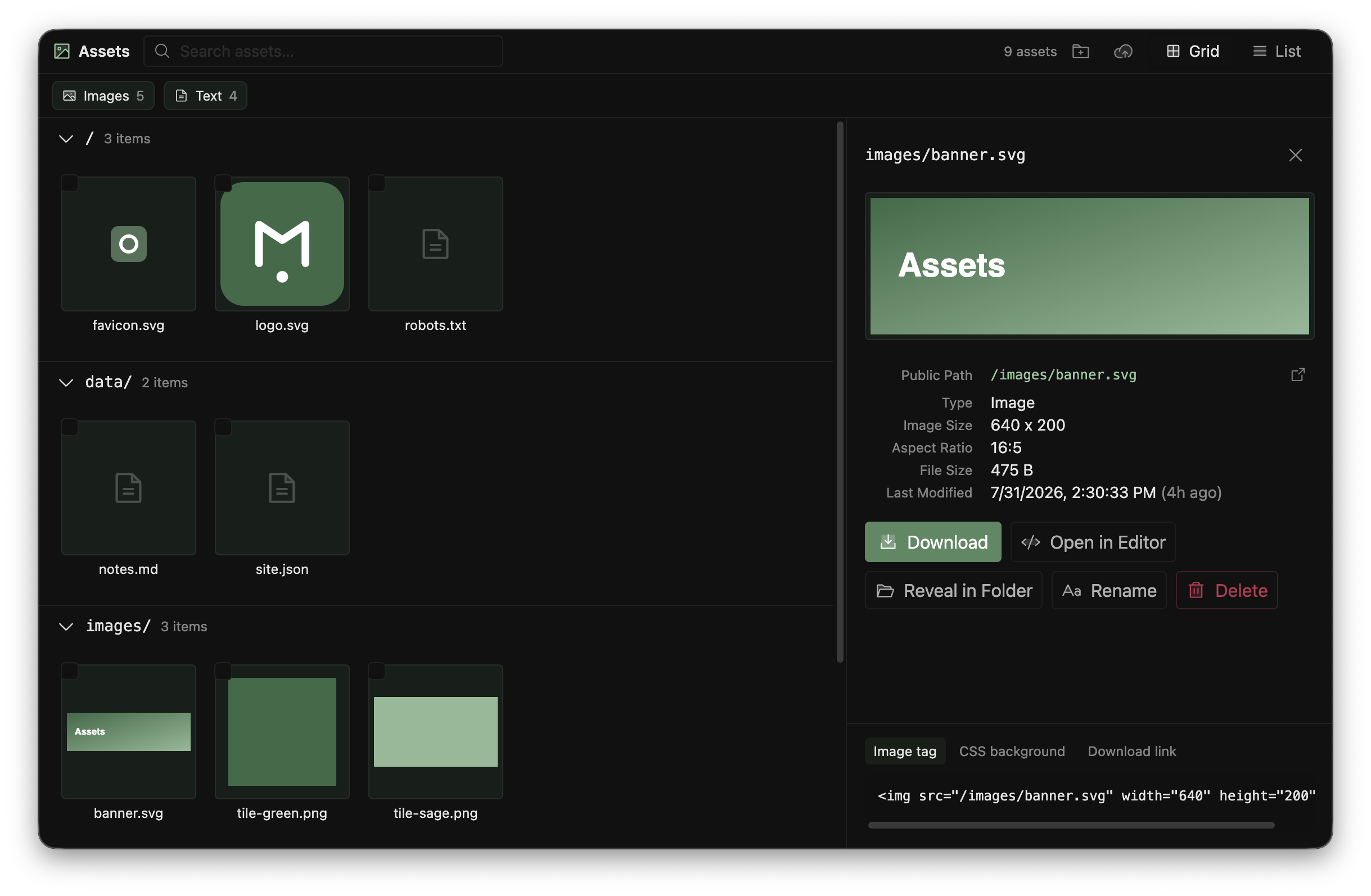
File browser and details panel
What it does
Search by name, filter by type, view as a thumbnail grid or tree, and open a details panel: live preview (image, video, audio, font, text), metadata, and copy-ready snippets (<img>, background-image, @font-face). Upload via toolbar or drag-and-drop, multi-select to delete; a watcher keeps listings synced.
The standalone server requires devframe's trust handshake; write is on by default ({ write: false } / --read-only for browse-only).
Standalone
pnpx @devframes/plugin-assets             # manages <cwd>/public
pnpx @devframes/plugin-assets --read-only # disable upload / rename / delete / mkdir
Mount into a Vite host
For a Vite DevTools app:
// vite.config.ts
import createAssetsDevframe from '@devframes/plugin-assets'
import { createPluginFromDevframe } from '@vitejs/devtools-kit/node'
import { defineConfig } from 'vite'

export default defineConfig({
  plugins: [
    createPluginFromDevframe(createAssetsDevframe()),
  ],
})
Or use devframeVite from @devframes/vite/single.
Programmatic
createAssetsDevframe(options) returns a definition for any adapter:
import { createAssetsDevframe } from '@devframes/plugin-assets'

export default createAssetsDevframe({
  dir: 'static',
  baseURL: '/',
  write: true,
  uploadExtensions: ['png', 'jpg', 'svg', 'webp'], // or '*' for any
})| Option | Default | Description |
|---|---|---|
dir | <cwd>/public | Directory to manage. |
baseURL | / | URL base the user app serves dir at (e.g. Nuxt app.baseURL). |
write | true | Enable upload, rename, delete, mkdir. |
uploadExtensions | Nuxt DevTools' allow-list | Extensions upload accepts, or '*'. |
serveStatic | false | Serve the directory's bytes; on for the standalone CLI. |
build | false | Registers the build subcommand (Static export). |
How previews are served
Previews load by public URL (baseURL + path).
RPC
Namespaced devframes:plugin:assets:*:
| Function | Type | Notes |
|---|---|---|
list | query, snapshot: true | Every file: type, size, mtime. |
capabilities | query, snapshot: true | Write-enabled flag; the allow-list. |
read-image-meta | query | Width/height/orientation. |
read-text | query | Truncated preview text; server-highlighted via @devframes/service-shiki, else plain <pre>. |
upload | action | Streaming upload slot; the SPA pipes bytes. |
rename | action | Renames one (keeps extension). |
delete | action | Deletes one or more. |
mkdir | action | Creates a folder + parents. |
open-in-editor / reveal-in-folder | action | Open/reveal via @devframes/service-open; always registered. |
upload / rename / delete / mkdir register only with write.
Static export
The build subcommand is disabled by default (capabilities: { build: false }). Pass { build: true } (or { force: true } to createBuild()) to bake the listing.
Source
Code Server
Run VS Code in the browser as a devframe panel: detect a local editor, launch on demand, embed in an auto-authenticated iframe.
Services
Built-in wire services (@devframes/service-*): one node-side capability installed once per host and consumed by every devframe and RPC client, without re-implementing or re-bundling it.